

One thing that you never want to have happen to you as a software development team: you implement a new feature; you release it; you find out later your changes broke something else. There’s a lot you can do to prevent something like this from happening. For instance, you could manually test the entire app in a testing environment before each release. This might work for simple applications, but as your project grows, this becomes untenable, as manual testing takes a larger and larger proportion of your development cycle effort. You might try to limit the amount of your app you test manually, by guessing at which parts might be most likely to have broken. But of course, this is risky.
There are any number of software development best practices you can adopt that will decrease your incidence of creating bugs. But there is only one sure-fire way of ensuring that you don’t release a broken app to prod: functional testing.
Functional testing is like manually testing your entire app, except the process is automated. Also known as behavioral testing, you’re testing the observable behavior of the system rather than its internal mechanics. Every feature has a test, or set of tests, to ensure that feature is behaving as expected. Let’s look at a basic concrete example: logging in. We might want to check that:
When the user is not logged in, and navigates to the login page, they see a form with username and password fields.
They are able to type into those fields.
There is a login button on the page as well, and after the user has typed something into the username and password fields, the button is enabled.
When the user enters valid credentials, and clicks the login button, they are redirected to the lobby.
At this point, they are able to navigate to the user account page.
On the other hand, when the user enters invalid credentials, and clicks the login button, they remain on the login page.
A message appears that says, “login failed.“
They are not able to navigate to the user account page.
Expected behavior like this can be extracted directly from a functional specification, if you have one. The next step is to write a little bot that walks through the steps of interacting with your website, and checks that expectations are met.
Implementing Functional Tests with Cypress
For a web application, there are a wide variety of tools you can use to run your app through a series of scripted steps. I like Cypress. Here is what my test for logging in looks like:
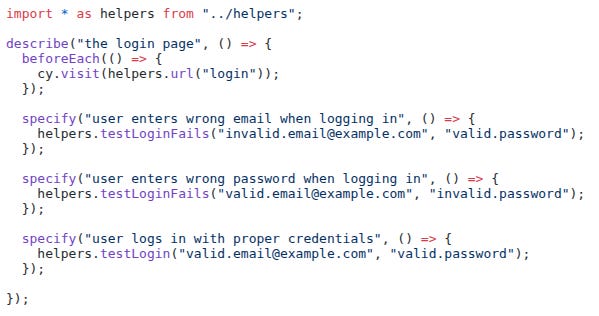
There are three tests here: invalid email; invalid password; and successful login. The beforeEach has each test start by navigating to the login page: cy.visit(helpers.url(”login”)). This is the equivalent of the user pasting the login URL into the address bar and pressing enter. Most of the work in these tests has been pulled out into helper methods, since they are used in more than one place. Here is testLoginFails:
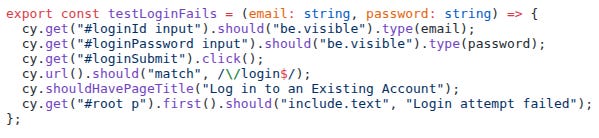
Without going into details, you can see how the script attempts to log in with the provided credentials; asserts that we remain on the login page; and asserts that a “Login attempt failed” message appears on the page.
You can see how we use CSS selectors to pull up specific elements on the web page. This means these tests aren’t purely functional — element IDs and class names are implementation details, not really user-facing behavior. But it’s a fair tradeoff: these selectors are technically exposed to users (in the DOM, dev tools, etc.), and honestly, selector-based testing just makes life so much easier.
This is what running the login tests looks like:
Here’s what the entire Badux Go functional test suite looks like:
It takes over five minutes to run on my laptop, but I rarely run it myself these days. More on that later.
Test Suite Growth Trajectory
I started working on my functional test suite very early on in the Badux Go development process. I was implementing features like account creation; logging in and out; game invite creation; and accepting invites. I was pretty happy because I had full coverage for all these features. But I wasn’t able to get it working in continuous integration. Every time I push a code change up to GitHub, my continuous integration suite runs: it compiles all the back end code, and makes sure all the back end tests pass. But I hadn’t figured out yet how to get my Cypress tests running in GitHub.
The next phase of development was implementing the actual game mechanics. I was using a tool called PixiJS to do my interactive game board at the time, which uses WebGL under the hood. Testing WebGL with Cypress turned out to be extremely difficult, so I sort of set aside the Cypress test suite for a while. I had a framework for thoroughly testing game mechanics on the back end, and resorted to manually testing for front end integration. My functional suite was dormant, but my app was still small, so that was alright. When you are agile, you don’t follow rules for rules’ sake.
As coding continued, a number of important developments transpired. I started using Claude AI more and more for supervised coding. Claude AI was maturing to the point where I could start to trust it with larger and more involved tasks. And WebGL was proving unworkable. It was just killing browser performance. After many iterations of trying to tune my PixiJS setup so it wouldn’t lock up the browser, I finally admitted I made a mistake adopting PixiJS, and switched to Konva, which is built on HTML5 Canvas 2D, and not WebGL.
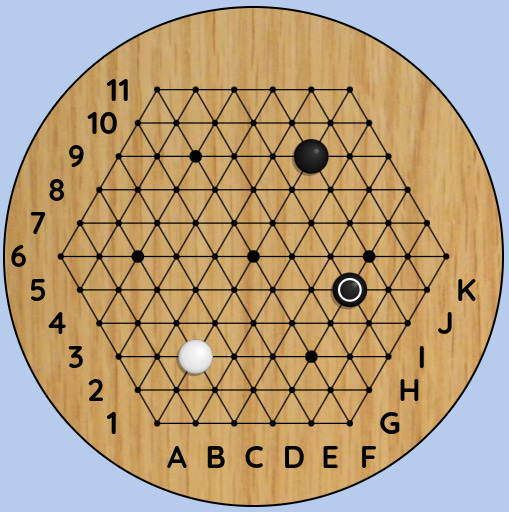
I asked Claude to rewrite the game board for me. With a little help from me, we got it migrated in less than a day. With Konva, all the performance issues were gone. And as an added bonus, Cypress has much better support for testing Canvas than WebGL. I haven’t gotten around to trying that yet, but when I do, I’ll let you know how it goes.
More recently, I was warming up to implement my guest account feature, and I knew I could no longer get away without functional testing. I felt fairly confident with the game mechanics themselves, but other aspects of the app were getting more complicated, and testing all the ins and outs of guest accounts manually was beyond what I was ready to take on.
I embarked on the following steps:
Fix the suite. A few months of neglect had broken it in various places. It didn’t take that long to fix.
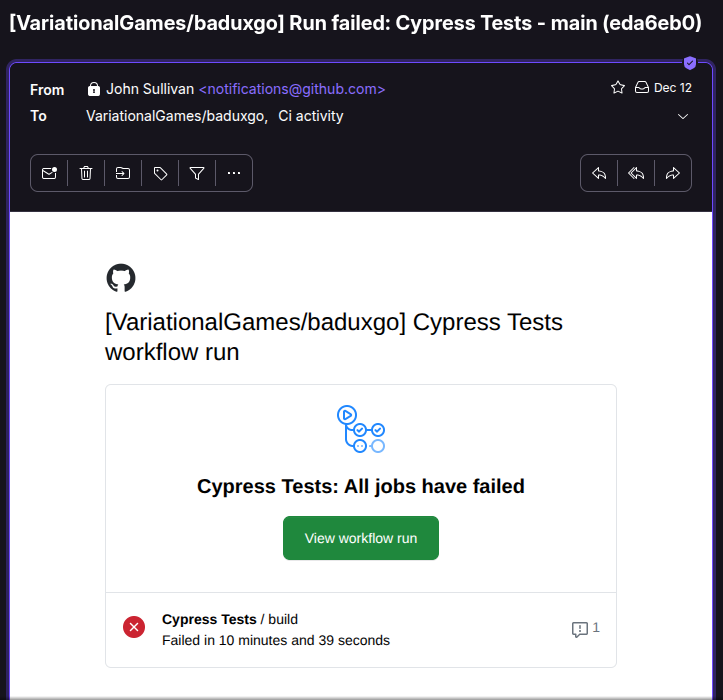
Get it running in CI. This was super important. It’s annoying to run a big functional test suite by hand, and when you’re coding fast, you’re apt to want to skip this step. No worries! Just check it in and push it up; GitHub will rerun the suite for you. If there are any problems, you’ll be getting an email.
Require coverage for new features. Your app is growing all the time. You do not have the resources to manually test the entire app every time you complete a new feature, or every time you want to release to prod.
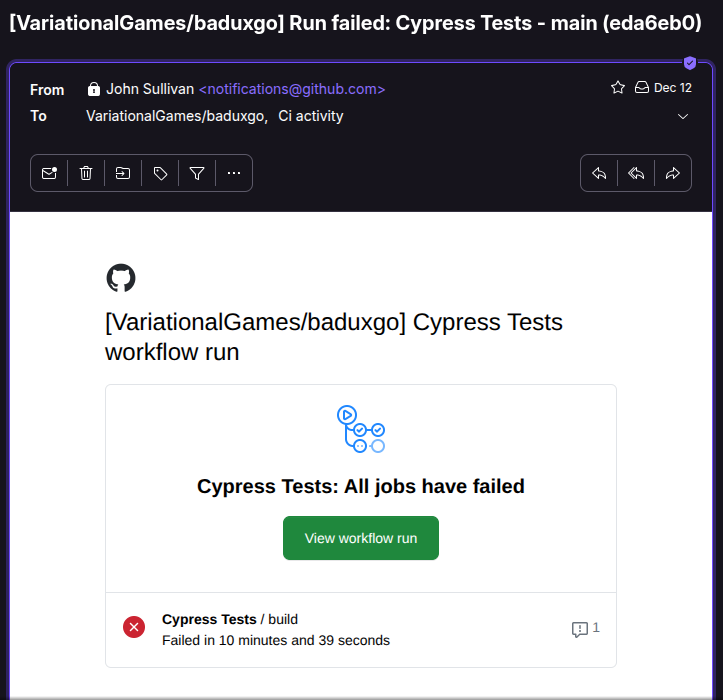
Me not running tests because my CI does it for me ;-)
At this point, I probably had functional test coverage for maybe 40% of my app. That’s not great, but even low coverage pays off quickly — the worst bugs, the ones you definitely don’t want in prod, tend to break something. With my low-coverage suite, I could at least ensure users could start and complete a game, and a lot of things have to be working right for that.
The coverage ratio improves naturally over time. Every new feature ships with tests. Any time I touch old code, I add the coverage that was missing. And the features that still aren’t covered? They were released a long time ago and have already run the gauntlet.
After adding tests for guest accounts and a couple more features, I’ve probably raised coverage to 60%. I really should add @cypress/code-coverage to my CI build so I know more precisely. It’s on my list.
AI Code Generation
But let me tell you my biggest win in this story: I’ve been betting on the continual improvement of AI codegen for a while now. I don’t know if there are going to be any massive breakthroughs, but I know it will keep getting better. And this investment has paid off, because I no longer need to write my own functional tests. I have Claude write them for me. Of course, I review all the code, and make sure everything I want to cover is covered. But the latest Claude model — Opus 4.5 — writes the tests, runs them, and fixes them, all on its own. This is super important, because writing functional tests can be extremely time consuming. Earlier Claude models were simply unable to take on writing these tests for me. It was just too complex for them.
It probably helps that Claude has been helping me write functional specs and technical specs for all of these features — it seems to give Claude better context when it comes time to write the code. Or maybe that’s just my imagination. Either way, that’s a story for another time.
Want to stay agile? Write functional tests. Better yet, have your AI write them for you. You’ll be a lot less likely to release broken stuff to prod — and you’ll ship faster doing it.